 Punch List
SCAN TO TASKS
Photograph paper. Get tasks.
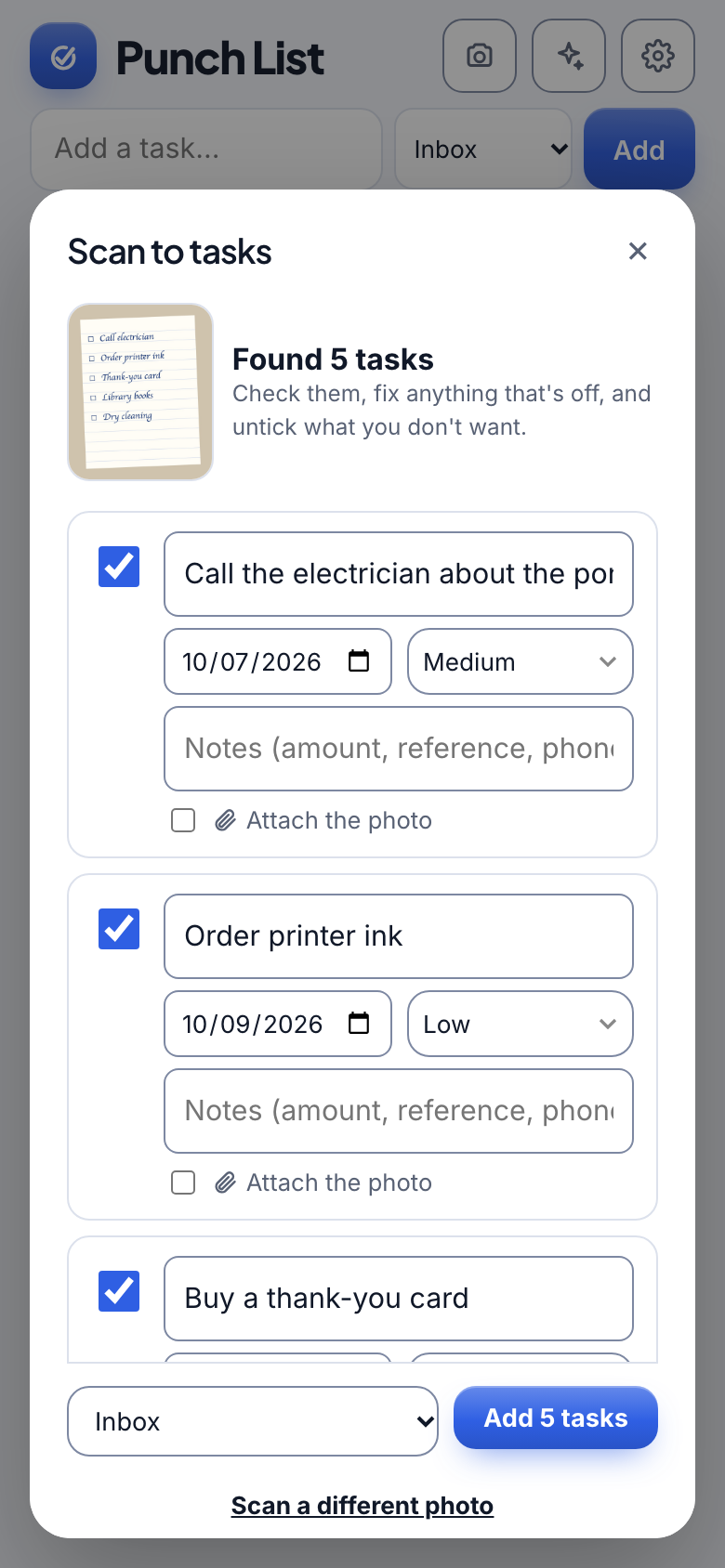
A handwritten list, a school flyer, a bill, a letter. Punch List reads the photo, picks out what needs doing, and fills in the date and amount. You check it before anything is added.
Watch it
Scan paper into tasks with Punch List
39 seconds, with captions.
How it works
Three steps.
1
Take a photo
Tap the camera, then snap a list, a bill, a calendar or a flyer.
2
Check what it found
Edit dates, priorities and categories, or untick anything you do not want.
3
Add to your list
Tasks land in your Inbox or the right category. The original photo can stay attached.
Details
Made to feel effortless.
- Bills become tasksLike Pay the electric bill, with the due date and amount, and the bill attached.
- Letters become the actionA letter turns into the thing it asks you to do.
- Grocery lists go to ShoppingEvery item, in one pass.
- You stay in controlNothing is added until you say so.
Questions
What can it read?
Handwritten lists, printed calendars, bills, letters, flyers and grocery lists.
Is the photo kept?
Only if you choose to keep it with the task. It is private to the people who can see that task.
More from Punch List