 Punch List
CALENDAR AND PLANNING
See the week. Plan it in a minute.
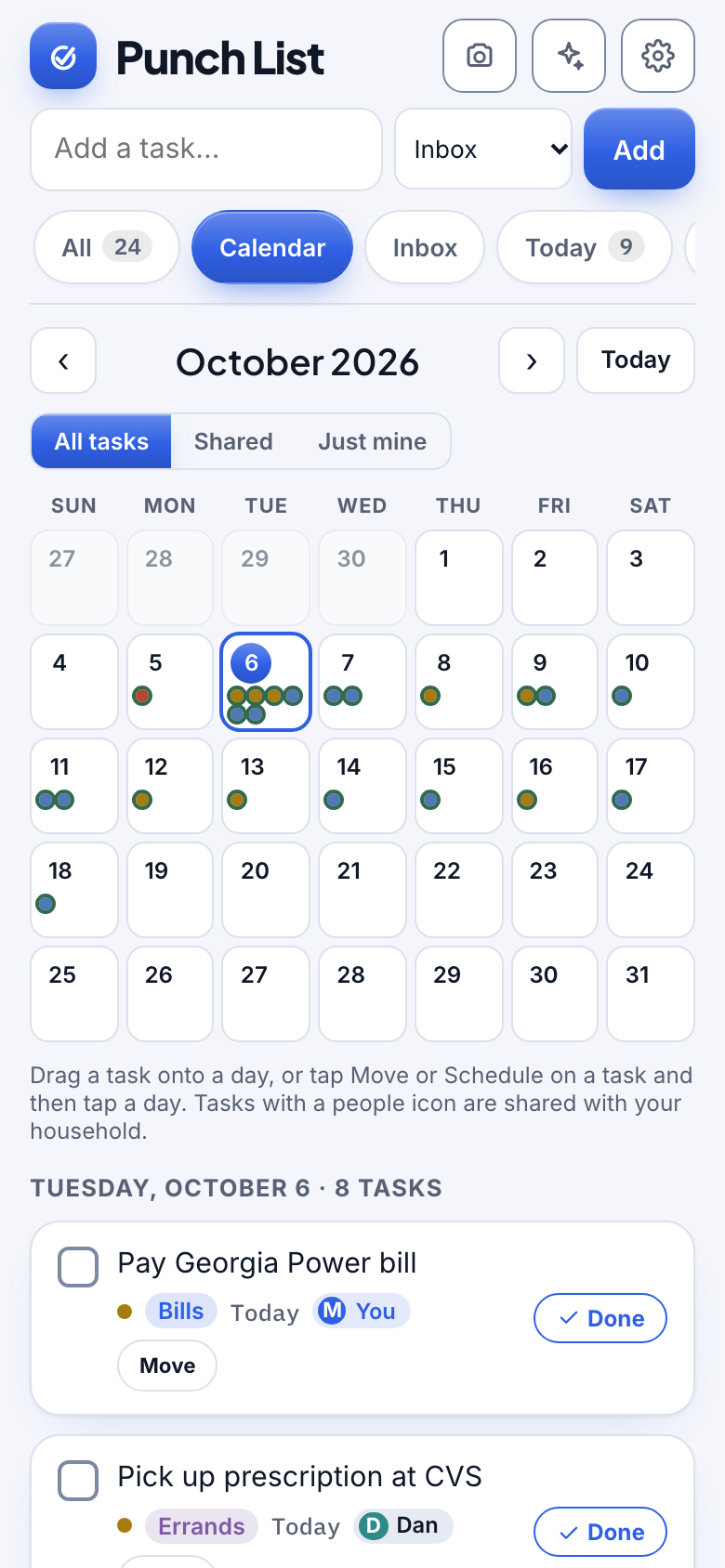
Punch List shows you what still needs a day, walks you through planning it in about a minute, and keeps your week in view on a calendar.
Watch it
See the week and plan it in a minute
38 seconds, with captions.
How it works
Three steps.
1
Open the calendar
See your tasks on a month view, with overdue and upcoming ones listed underneath.
2
Plan what is unscheduled
Step through tasks that still need a day and pick Today, Tomorrow, This weekend or Next week.
3
Move things easily
Drag a task to a new day on a computer, or tap Move on a phone.
Details
Made to feel effortless.
- A Someday bucketPark ideas without a date so they stop nagging.
- Recurring tasksRent, trash day, medicine: set it to repeat and the next one appears when you finish.
- Know what to scheduleA count and a guided flow show exactly which tasks still need a day.
- Google Calendar and Google TasksTasks with due dates appear in Google, and changes in either place keep the other in step.
- Shared tasks are markedSee what belongs to the household.
- Skip lists you do not planKeep a list like Shopping out of the planner.
Questions
Does it work with Google Calendar?
Yes. Tasks with due dates can appear in a separate Punch List calendar in Google, and moving one in either place keeps the other in step.
Can I drag tasks around?
Yes on a computer. On a phone, tap Move and pick the day.
More from Punch List