Photograph it. It becomes tasks.
A handwritten list, a school flyer, a bill, a letter. Punch List reads it, picks out what needs doing, and fills in the due date and amount.
Learn more →- Milk & eggs
- Dry cleaning
- Call Dr. Patel
- Birthday card
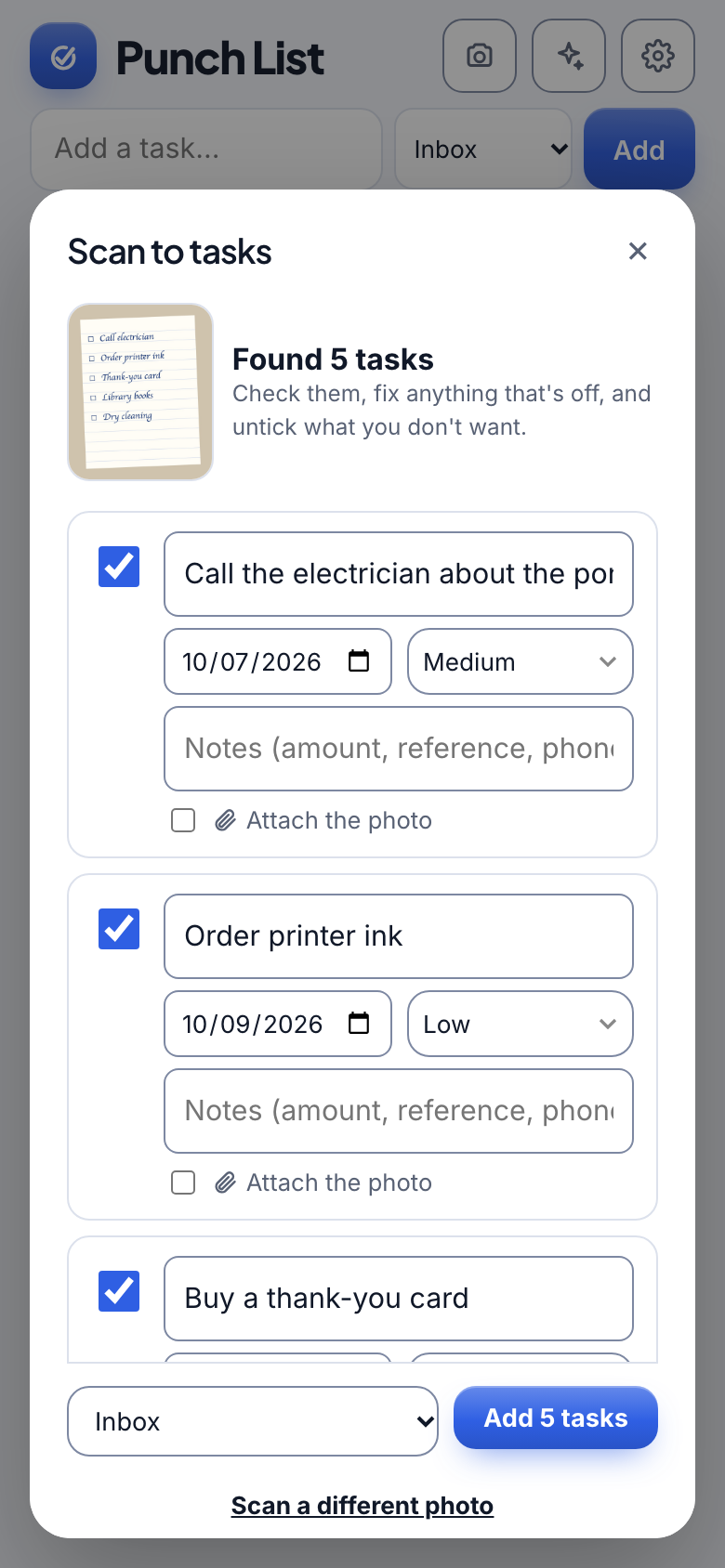
Snap a photo of a handwritten list or a bill, forward an email, or just type. Punch List AI reads it, turns it into tasks with priority and due dates filled in, and shares the ones that matter with the people you live with.
Works on iPhone, Android, Mac and Windows. No app store needed.
 PUNCH LIST8:00 AM
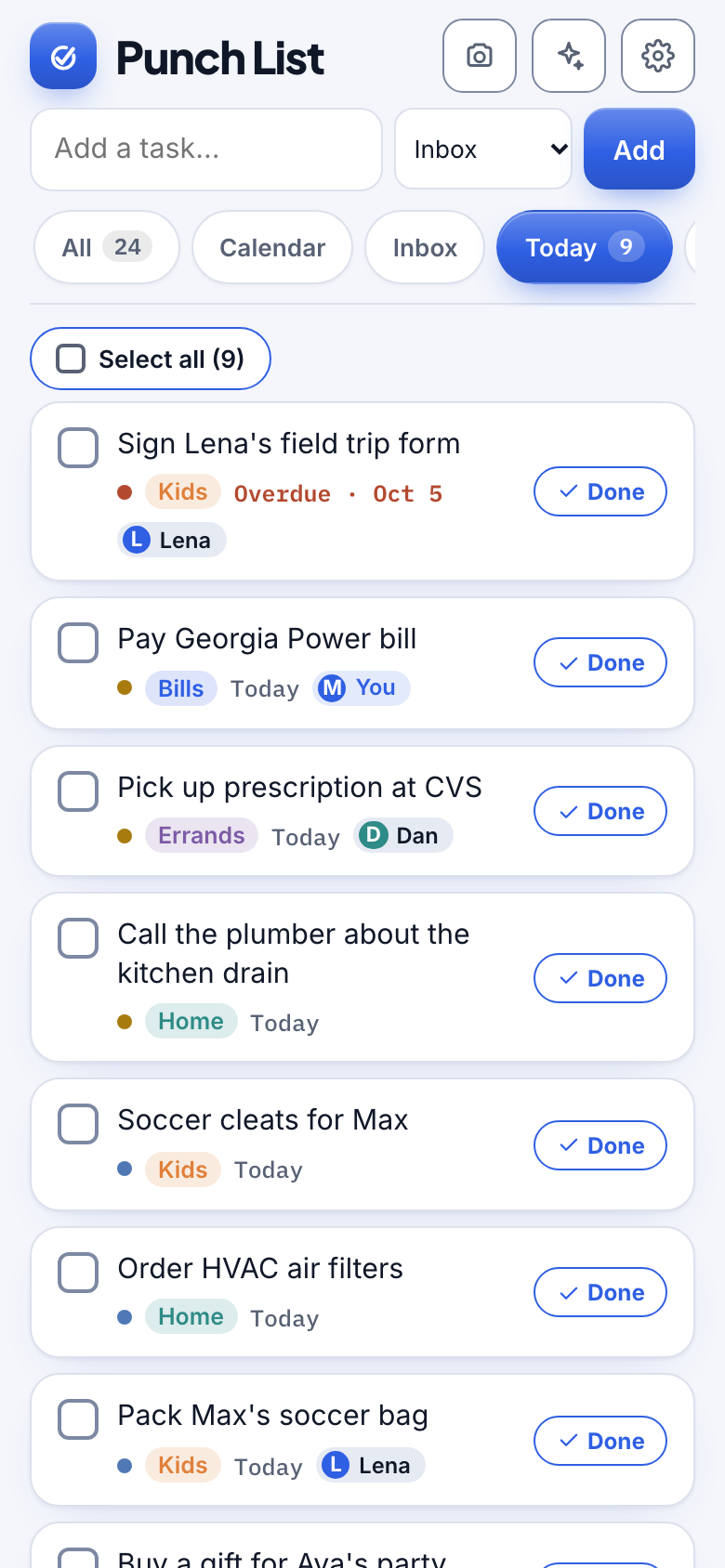
One list, wherever you are
Household life arrives as paper, email and half-remembered conversations. Punch List catches all of it.
A handwritten list, a school flyer, a bill, a letter. Punch List reads it, picks out what needs doing, and fills in the due date and amount.
Learn more →Every account gets a private address. Forward a bill or a school note and the task appears in your Inbox.
Learn more →Invite your partner, your parents, your roommates. Share Kids or Home; keep the rest to yourself.
Learn more →Punch List shows what still needs a day and walks you through planning it, with quick choices like Tomorrow and This weekend. Your week stays in view on a calendar you can drag tasks around.
Learn more →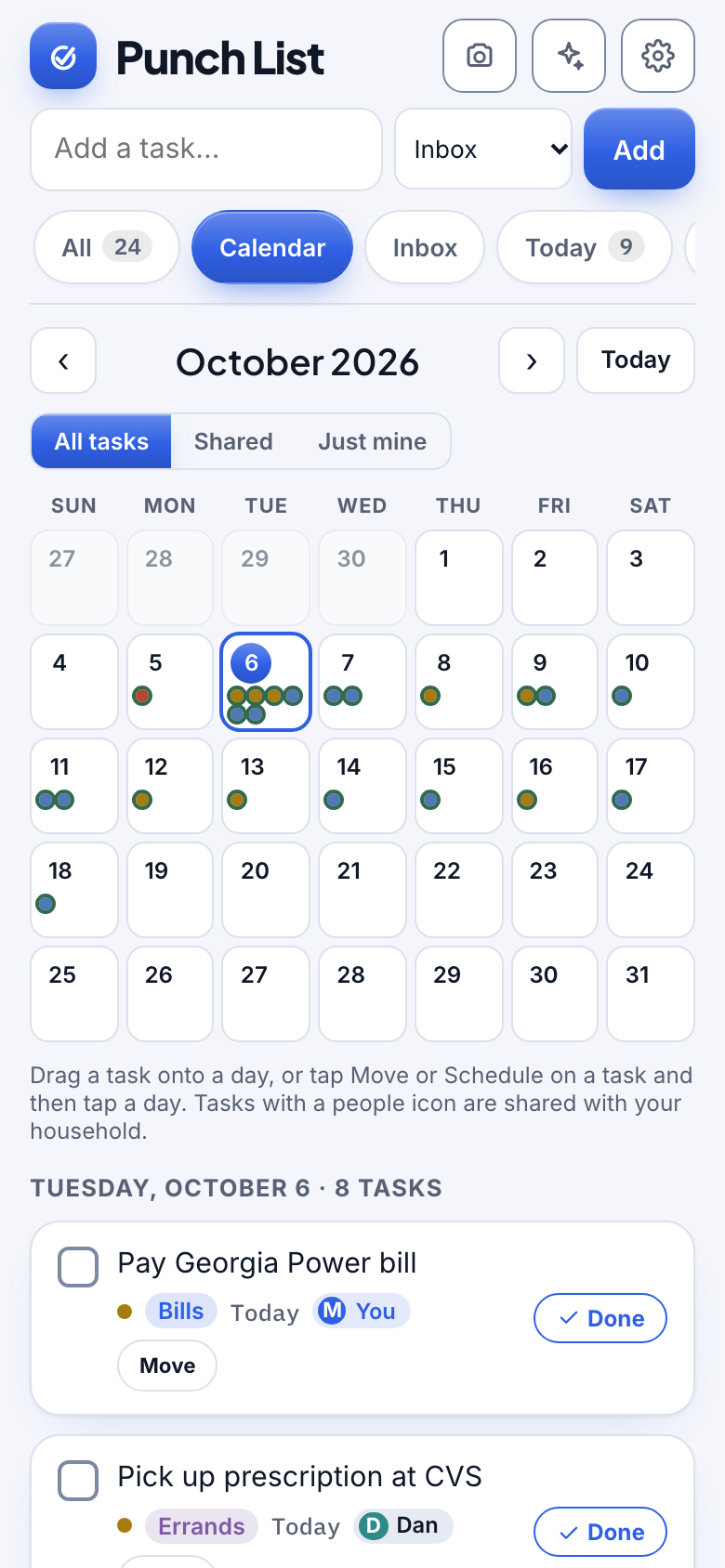
On your computer and your phone: a morning note of what is due and an evening heads-up for tomorrow, at times you choose.
Learn more →PUNCH LIST8:00 AM"What is overdue?" "What should I do first?" Punch List AI keeps you on track with a short focus for the day and clear guidance on what to tackle next.
Learn more →No app store. Open it in a browser, tap install, and it lives on your phone or computer like any app.
Everything you need to run a busy household, and nothing you do not.
Set rent, trash day or the dog's medicine to repeat. Finish one and the next is already waiting.
Attach photos, PDFs and files to any task. They stay private to the people who can see it.
Share one Shopping list the whole family can add to, with a sub-list for each store you shop at.
Park ideas without a date in Someday, and see exactly how many tasks still need a day.
Pick the look you like. It is saved to your account and follows you to every device.
Start your week with a short note from Punch List AI: what you finished, what is still open, what is on your plan, and a nudge to schedule anything left over.
Hand a shared task to someone in your household, see who is on what, and filter the list to just yours.
Tick a handful of tasks and mark them done, change their priority or move them in one go.
Start your Monday with a Punch List AI summary of what you finished, what is still open and what is on your plan, plus a nudge to schedule anything left over.
Bring in your Apple Calendar and Outlook, plus Siri and Shortcuts to add tasks by voice.
No setup marathon. You can be up and running before the coffee is cold.
Type a task, photograph paper, or forward an email. However it shows up, it gets captured.
Look over what Punch List found, then share the categories that belong to the whole household.
See the week on a calendar, get a reminder when it counts, and tap Done.

On a computer Punch List opens up into three clear columns. On a phone it stays simple.
Only you and the people you invite can see your tasks, and only the categories you share.
Scans and emails are shown to you first. Nothing is added or deleted without your say-so.
Several Heads, easy to join and leave, and shared items are handed on cleanly when someone moves out.
You can create an account and start using it today. We will share pricing here before anything changes.
No. Punch List works in any browser. If you like, add it to your phone's home screen or your computer's dock and it opens like an app, and that is also what lets reminders reach your phone.
Yes. Invite people by email or link. You decide which categories are shared, like Kids or Home, and everything else stays private to you.
Punch List reads it, shows you the tasks it found, and adds nothing until you say so. You can keep the original photo attached to the task, for example a bill.
Only you and the people in your household, and only the categories you share. Attached files are private to the people who can see that task.
Yes. Tasks with due dates can appear in a separate Punch List calendar in Google, and moving one in either place keeps the other in step. Apple and Outlook calendars are on the way.
Create your account in a minute and add your first task, photo or email.
Get started free